How to Give AI Direct Access to MDN Docs Using MCP
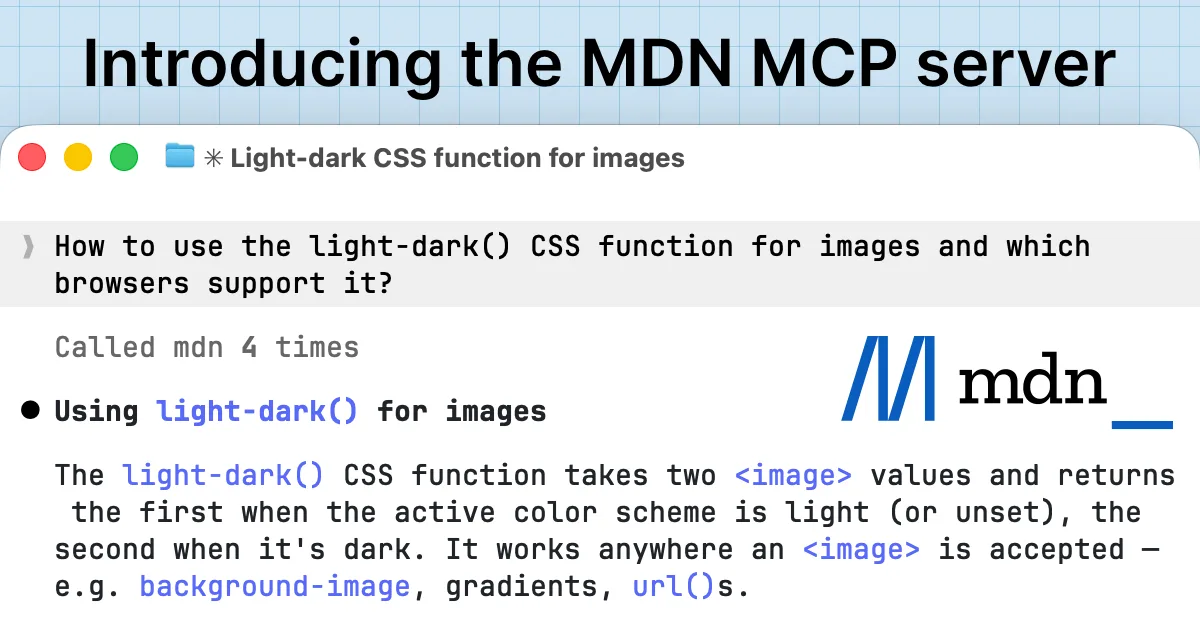
Recently, MDN officially released its own MDN MCP Server, which can directly connect MDN documentation and browser compatibility data to various AI tools, allowing agents to no longer guess when checking documentation and compatibility.
What is MDN MCP?
Simply put: a direct data channel from AI to MDN.
Server address:
https://mcp.mdn.mozilla.net/.Capabilities include:
Search MDN documentation (CSS, JS, Web API…)
Retrieve detailed content of a page (description, examples, notes, etc.)
Query browser compatibility data (BCD), returning support status for major browsers.
The underlying protocol is MCP (Model Context Protocol) proposed by Anthropic, used to uniformly expose external tools and data sources to LLM/Agent.
Why is it worth integrating for frontend developers?
If you often write browser-side code, AI can easily trip up in these areas:
Outdated awareness of new features: for example,
light-dark(), Prompt API, Web Serial, HTML-in-Canvas, etc., which may not have been fully implemented when the model was trained.Fabricated compatibility: often produces vague or incorrect conclusions like "all modern browsers support it" or "Safari does not support it."
After integrating MDN MCP, the differences are mainly reflected in two points:
Usage explanations will be significantly closer to the latest MDN documentation, including notes, examples, and specification links.
The support matrix for browsers like Chrome / Firefox / Safari will be more accurate, even stating from which version it is supported.
In other words: it doesn't make AI "smarter", but replaces the knowledge source from static corpus with real-time MDN.
Integrating MDN MCP in Cursor
Cursor manages MCP servers through a JSON file.
1. Configuration file location
Global:
~/.cursor/mcp.jsonProject-level:
.cursor/mcp.jsonin the project root directory.
You can choose either location. Create a new one if it doesn't exist.
2. Minimal viable configuration
Add the following to mcpServers (create an object if it doesn't exist):
{
  "mcpServers": {
    "mdn": {
      "url": "https://mcp.mdn.mozilla.net/"
    }
  }
}
Note two points:
Cursor only recognizes
url(remote HTTP server); do not use generic MCP fields liketransport/uri, otherwise you'll get the error "Server must have either a command or url."If you already have other servers, just add another key
mdnin the samemcpServersobject.
After saving, restart Cursor or run "Reload Window" from the Command Palette, and you'll see mdn in the MCP/Tools panel.
Integrating MDN MCP in Claude Code
The Claude Code CLI comes with MCP management commands.
Ensure you have the
claudeCLI installed locally.Run:
claude mcp add --transport http mdn https://mcp.mdn.mozilla.net/This command registers an HTTP server named mdn in the local MCP configuration, pointing to MDN MCP.
Use the following command to confirm if it was added successfully:
claude mcp listThen, in a conversation with claude code, simply instruct it to "Check xxx using the MDN tool", and it will call MDN MCP in the background and integrate the results into the response.
Several Prompt Examples (using Chrome as an example)
You can directly copy these sentences and use them in Cursor / Claude:
Query new CSS features
"Please use the MDN MCP server to explain the function of the
light-dark()CSS function, and provide an example code snippet for using it in a page that supports light/dark mode, focusing on how to use it withcolor-schemein Chrome."
Check browser compatibility
"Use the MDN tool to query the support status of the Web Serial API in Chrome, Edge, and Safari, and summarize the security considerations when using Web Serial in Chrome."
Decide whether to go to production
"Use MDN MCP to check the support of
light-dark()and@view-transitionin the latest Chrome, and provide a degradation strategy recommendation suitable for production."
As long as the client has correctly integrated MDN MCP, the answers to these questions will be significantly more "like someone who just checked the documentation."
Conclusion
The significance of MDN MCP is not "yet another showy integration point", but actually connecting the most commonly used official documentation for frontend development into the AI development workflow.
If you are already heavily using Cursor / Claude for frontend development, the cost of this change is basically "add a line of URL + restart", but the long-term benefit is: fewer documentation checks, fewer compatibility pitfalls.
Follow on Google
Add HeyBinyang as a preferred source on Google
If you'd like to keep finding my updates through Google, you can mark this site as a preferred source and make it easier to spot in relevant reading flows.
SHARE
Share
Share this article.