Codex Subagents in Action: Batch Generate Tests, Check Compatibility, Translate Comments
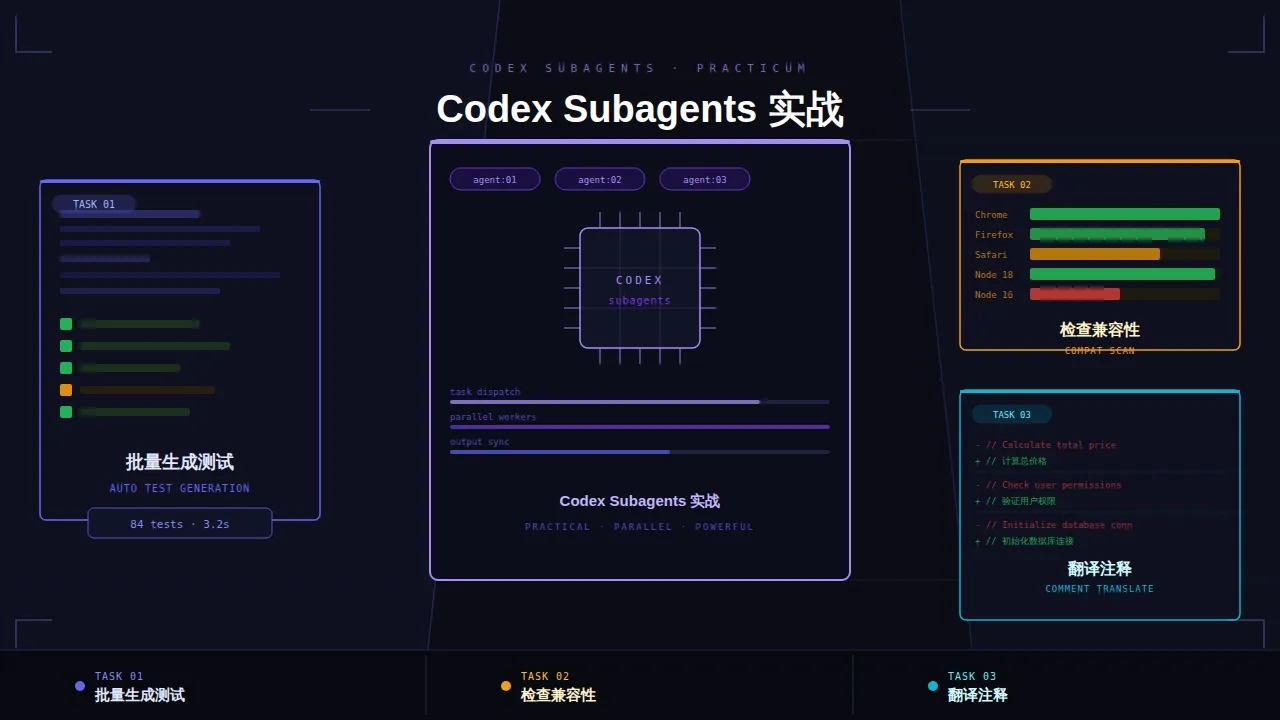
Here's the scenario: you have 30 utility function files, each requiring unit tests. Previously, you could only do them one by one, and it might take a whole day to finish. Now,30 files can run simultaneously, taking about the same total time as handling 1 file.
Core mechanism: one CSV launches a batch of agents
You don't need to understand how it works under the hood, just remember this usage pattern:
你准备一个 CSV(每行 = 一个任务)
        ↓
Codex 读取 CSV,每行启动一个独立 agent
        ↓
所有 agent 同时并行工作
        ↓
结果汇总写回输出 CSV
Your job is:Prepare the CSV, clearly specify what each agent should do. Leave the rest to Codex.
Scenario 1: Batch generate unit tests for the entire project
Pain point
There are dozens of utility functions in the project. Manually writing unit tests one by one takes a whole day, and the quality degrades as you go.
Step 1: Generate a task list
Let Codex scan the project and organize the files to be processed into a CSV:
扫描 src/utils/ 目录下所有 .ts 文件,
生成一个 CSV 文件 utils-list.csv,
列:file_path, function_count(该文件里导出的函数数量)
Within seconds you get a list of all files to be processed.
Step 2: Generate tests in parallel
使用 spawn_agents_on_csv 读取 utils-list.csv,
对每个文件路径启动一个 agent,执行以下任务:
- 读取 {file_path} 中的所有导出函数
- 为每个函数生成对应的 Jest 单元测试
- 测试文件保存到 __tests__/{file_path对应路径}.test.ts
- 覆盖所有正常输入、边界值、异常输入的 case
完成后输出结果到 test-generation-results.csv,
包含:file_path, tests_generated, status
30 files run in parallel, total time close to running 1 file. A day's manual work becomes a few minutes of waiting.
Don't overlook the value of the status field: you can see at a glance which files succeeded and which failed. Failed ones can be re-run individually without starting over.
Scenario 2: Batch check API compatibility
Pain point
Upgrading React Query from v4 to v5 has many breaking changes—useQuery parameter structure changed, isLoading behavior changed, cacheTime was renamed... Dozens of files in the project use it, and checking them one by one is simply unrealistic.
Step 1: Find all affected files
用 grep 找出项目中所有 import 了 @tanstack/react-query 的文件,
生成 rq-files.csv,列:file_path
Step 2: Check each file in parallel
使用 spawn_agents_on_csv 读取 rq-files.csv,
对每个文件启动一个 agent:
- 检查该文件中 React Query 的所有用法
- 对照 v5 的 breaking changes 列表,标出不兼容的用法
  (重点检查:useQuery 参数结构、isLoading→isPending、cacheTime→gcTime)
- 给出具体修改建议

结果输出到 compat-check.csv:
file_path, incompatible_count, issues(JSON格式), suggested_fix
After running, you'll get a complete compatibility report. Files with incompatible_count of 0 need no changes; for problematic ones, just look at suggested_fix to make targeted edits.
Tip: Storing
issuesin JSON format makes it easy to later have Codex read this CSV and automatically batch fix them—you can then run another round ofspawn_agents_on_csv.
Scenario 3: Batch translate comments
Pain point
You took over an old project with all English comments, and the manager requires them all to be localized to Chinese. With dozens of files, manual translation is impossible.
This kind of task can be done with a two-step prompt:
生成 files-to-translate.csv,扫描 src/ 下所有有英文注释的文件。

然后用 spawn_agents_on_csv:
- 读取每个文件
- 将所有英文注释翻译成中文(保持代码不变)
- 直接写回原文件
- 输出:file_path, comments_translated, status
Code logic stays untouched, while all comments are replaced with Chinese. This kind of mechanical batch operation is exactly what this pattern is best for.
Three usage tips
First: It doesn't use your local resources. All agents run in OpenAI's cloud sandbox, not on your computer. Even if the CSV has 100 rows, it won't start 100 processes simultaneously and crash your memory—the system queues execution based on concurrency limits. Your machine just sends a command; the rest runs in the cloud.
Second: Test with a small batch first. When running a new task for the first time, only put 3 to 5 rows in the CSV to verify the output format and quality, then run the full batch. Finding issues before a full run only costs a prompt tweak; finding issues after a full run means rerunning everything.
Third: The status field is mandatory. Each agent reporting its own completion status is one of the core values of this pattern. Without this field, you don't know which succeeded and which failed, and if something goes wrong you have to restart everything.
Tip: In addition to
statusin the output CSV, it's recommended to also add a timestamp or error message column (e.g.,error_message) to help pinpoint which step went wrong.
Follow on Google
Add HeyBinyang as a preferred source on Google
If you'd like to keep finding my updates through Google, you can mark this site as a preferred source and make it easier to spot in relevant reading flows.
SHARE
Share
Share this article.